GPA Calculator
Calculate your GPA in seconds
FreeNo sign-upAuto-saves
Looks like high school.
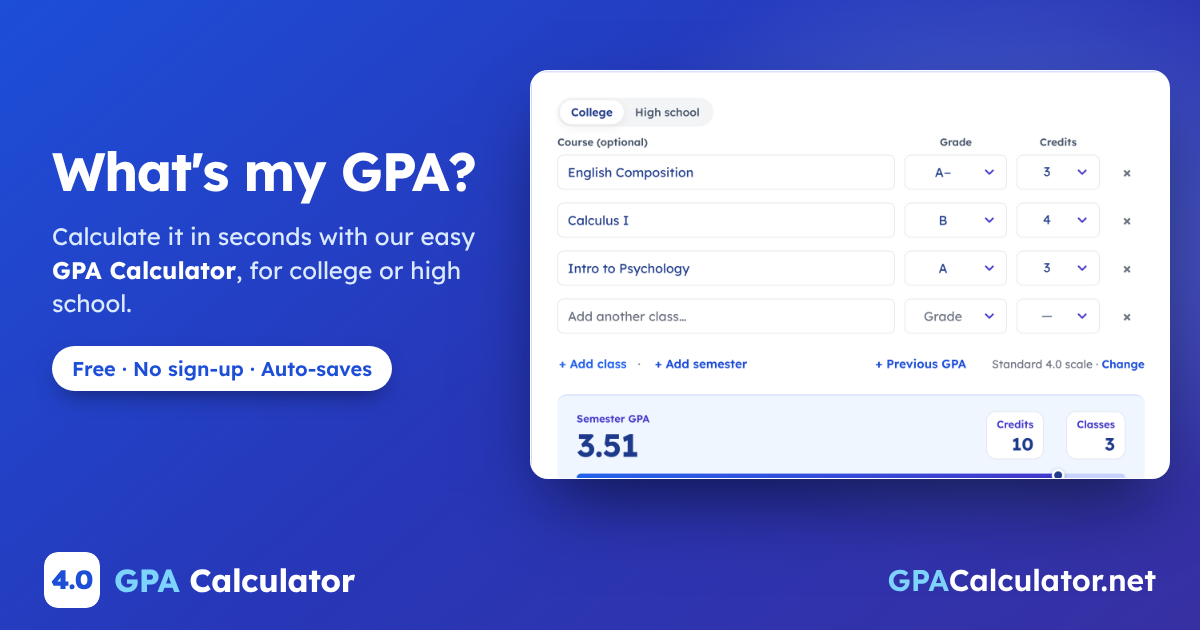
Pick a grade and credits for each class. Your GPA updates as you go.
Checking again after finals? Press Ctrl + D to bookmark this page. Your classes will be right here.
How your GPA is calculated
GPA Planner
Try a different average
Keep going
Wrong result or missing a feature? Send feedback
On this page · 6 sections
How to use the GPA calculator
Pick a grade and credits for each class, and your GPA updates with every pick.
It stays saved on this device, so you can come back after finals and pick up where you left off. Your registrar’s number is the official one.
- Add your classes Pick a letter grade, or type a percentage in the grade picker. Course names are optional.
- Set the credits College classes usually carry 3 or 4. High school classes carry 1 or a half.
- Plan and save Tap Plan my target GPA to see what you need next term, then Save to keep this version.
Every result above comes from one formula, and seeing it once makes the rest of this page easier to follow.
How GPA is calculated
Say you just finished your first college semester with five classes on your transcript. Each letter grade turns into grade points, and your grade point average (GPA) counts each class as many times as it has credits.
GPA = quality points ÷ credits counted
The credit-weighted average colleges and high schools use.
- Turn each letter into grade points: an A is 4.0, a B is 3.0, a C+ is 2.3.
- Multiply the points by the class’s credits to get its quality points.
- Add up the quality points and divide by the credits that count.
The calculator starts on the standard 4.0 scale, where an A+ and an A both count as 4.0. If your school gives an A+ 4.33, switch the scale in Options.
| Course | Grade | Grade points | Credits | Quality points | |||
|---|---|---|---|---|---|---|---|
| English Composition | A– | 3.7 | 3 | 11.1 | |||
| Calculus I | B | 3.0 | 4 | 12.0 | |||
| Intro to Psychology | A | 4.0 | 3 | 12.0 | |||
| Chemistry I | C+ | 2.3 | 4 | 9.2 | |||
| Chemistry Lab | A | 4.0 | 1 | 4.0 | |||
Total quality points 48.3 Credits counted 15 GPA 3.22 | |||||||
Look at Chemistry. It’s a 4-credit C+, so it pulls four times harder than the 1-credit lab. Raise it one step to a B− and your GPA climbs to 3.33, which is the “Biggest boost” line the calculator shows under your result.
Full guide: How to calculate GPA →
One semester is only the start, though. The number that follows you is the one that adds every term together.
Semester vs. cumulative GPA
Spring goes better: Statistics (A, 3 credits), Calculus II (B+, 4), Sociology (A−, 3) and Public Speaking (A, 2) add up to 12 credits and 44.3 quality points, for a 3.69. It’s tempting to average the two semesters, but your cumulative GPA weighs every credit the same, so the heavier fall term counts for more.
Compare
Averaging the two GPAs
3.46
(3.22 + 3.69) ÷ 2. Treats a 12-credit term like a 15-credit one.
Your real cumulative GPA
3.43
(48.3 + 44.3) ÷ (15 + 12) = 92.6 ÷ 27
In the calculator, tap + Add semester under your classes, or turn on Previous GPA in Options and enter 3.22 and 15 credits instead of retyping fall.
Set a target in the planner and it does the next step for you. It takes your cumulative GPA and credits so far and works out the average you need next term.
Say you want a 3.50 after 18 more credits: you’d need a 3.61 average. The planner rounds up to the hundredth, so the number it shows always gets you there.
If one term isn’t enough, it shows the highest GPA you can reach and how many terms the target takes.
Planning more than one term ahead? The Raise GPA Calculator maps out the grades and semesters a target takes.
If you’re still in high school, your report card may show a second number next to this one.
Weighted vs. unweighted GPA
When you take AP, IB or honors classes, your school may give those grades extra points. Your unweighted GPA ignores the level, and your weighted GPA adds the boost, so the same report card can show two numbers.
| Course | Grade | Level | Weighted points | Credits | Quality points | |||
|---|---|---|---|---|---|---|---|---|
| AP Biology | A– | AP +1 | 4.7 | 1 | 4.7 | |||
| Honors English 11 | B+ | Honors +0.5 | 3.8 | 1 | 3.8 | |||
| Algebra II | B | Regular | 3.0 | 1 | 3.0 | |||
| Spanish 3 | A | Regular | 4.0 | 1 | 4.0 | |||
Total quality points 15.5 Credits counted 4 Weighted GPA 3.88 Unweighted GPA, same grades without the level boost: 14.0 ÷ 4 = 3.50 | ||||||||
Schools set their own boosts. This calculator adds 0.5 for Honors and 1.0 for AP, IB and dual enrollment, and an F stays at 0 whatever the level. If your school uses different numbers, compare the unweighted GPA. Colleges may also strip boosts out and recalculate, so check each admissions page before you compare yourself with their numbers.
Tip
Switch the calculator to High school and turn on Include Honors / AP / IB weighting. A course name like “AP Biology” suggests a level, and you can change it on any class.
Weighted or not, the next question is usually whether your number is good enough for what you want.
What is a good GPA?
A good GPA is one that clears the bar you’re aiming at, and each scholarship, program and school sets its own. Start with these three reference points.
| Reference point | GPA | Scale |
|---|---|---|
| Average U.S. high school graduate, class of 2019 | 3.11 | 4.0 scale; the study doesn’t say whether honors boosts count |
| Federal student-aid academic standard at the end of year 2 (programs longer than 2 years) | 2.0 (a C average) | A C equivalent, or academic standing consistent with your college’s graduation requirements; other satisfactory-progress rules also apply |
| A college you’re applying to | Its published average | Weighted or unweighted: check its admissions page |
The 3.43 from the college example is above a C average on this example scale. Federal aid eligibility also depends on your college’s satisfactory academic progress policy, including completion pace and maximum timeframe. Before you compare yourself with any cutoff, check whether it’s weighted and which scale it uses: 4.0, 4.33 or the school’s own.
Then set that number as your target in the calculator’s planner, and it shows the average you need to get there.
Tip
Applying to college? See colleges where your GPA fits, look up any number on the GPA scale pages, or read what a GPA is and how schools use it.
If your number still looks different from the one on your transcript, the next section covers the school rules that cause it.
Why your GPA differs from your transcript
You typed every class and the calculator still disagrees with your transcript by a few hundredths. Check these school rules first.
Many mismatches start with the grade chart. This calculator uses the standard chart below, but schools set their own cutoffs, so check yours.
| Band | Letter grade | Percentage | Grade points |
|---|---|---|---|
| Excellent | A+ | 97–100% | 4.0 |
| A | 93–96% | 4.0 | |
| A− | 90–92% | 3.7 | |
| Good | B+ | 87–89% | 3.3 |
| B | 83–86% | 3.0 | |
| B− | 80–82% | 2.7 | |
| Average | C+ | 77–79% | 2.3 |
| C | 73–76% | 2.0 | |
| C− | 70–72% | 1.7 | |
| Low pass | D+ | 67–69% | 1.3 |
| D | 63–66% | 1.0 | |
| D− | 60–62% | 0.7 | |
| Fail | F | Below 60% | 0.0 |
My school counts an A+ as 4.33
Fix: open Options and choose the 4.33 scale. The standard 4.0 scale caps an A+ at 4.0.
I took a class pass/fail or withdrew
Fix: schools treat these differently. This calculator leaves P, NP and W out of your GPA and the credits counted. If your school counts a grade like NP or WF as an F, pick F instead.
I retook a class
Fix: retake rules vary by school. Some replace the first grade and others count both. If yours replaces it, pick Repeat as the grade for the earlier attempt so it isn’t counted. If it counts both, keep both grades.
My weighted GPA is off
Fix: boosts vary by school. This calculator adds 0.5 for Honors and 1.0 for AP, IB and dual enrollment. Pick the level your school uses for each class, or compare unweighted numbers only.
Frequently asked questions
How do I find my official GPA?
Your official GPA is on your transcript, which you can usually see in your school’s student portal or request from the registrar (college) or your counselor (high school). This calculator gives you an estimate from your own grades, which helps when the portal hasn’t updated yet or you want to see where a term will land.
What’s my GPA with all A’s and one B?
It depends on how many classes you take and their credits. With six classes of equal credit, five A’s and one B give a 3.83 (23 ÷ 6), and with four classes, three A’s and one B give a 3.75 (15 ÷ 4). The more classes you take, the less one B pulls you down.
What grades do I need for a 3.5 GPA?
On the standard 4.0 scale with equal credits, half A’s and half B’s average exactly 3.5, and each A− (3.7) or B+ (3.3) in the mix nudges it. If you already have a cumulative GPA, the grades you need depend on it and your credits so far, so set 3.5 as your target in the planner.
Can I calculate my GPA without credit hours?
Yes. Leave every class at the same credits and the calculator gives you a plain average of your grade points. Add real credits later for an exact college GPA.
Is there a GPA calculator app?
Use this calculator in your phone’s browser and add it to your home screen for quick access. Your classes stay saved on that device. Save keeps versions of your calculation; use Options → Copy share link to open a calculation on another device. An internet connection is required to load the calculator.
Related calculators
Disclaimer. Results are estimates for planning. Your registrar calculates your official GPA, and its rules win when they differ from ours.
Sources
- Results of the 2019 NAEP High School Transcript Study National Assessment Governing Board
- 34 CFR 668.34: Satisfactory academic progress Electronic Code of Federal Regulations